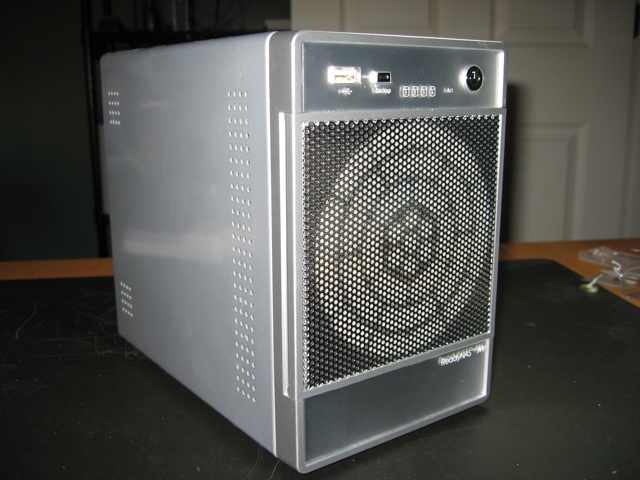
Infrant’s ReadyNAS NV is a four drive gigabit Network Available Storage (NAS) device that supports raid. I posted a review of this device in August 2006.
Basically the ReadyNAS NV is a small form factor Linux PC with four drive bays. My ReadyNAS came default with 256mb of main memory. Interaction with this device is via a web (https) interface and I’ve noticed that the response time for this interface is somewhat slow. If the interface is slow it would stand to reason that data transfer might be slower then it should be as well.
Luckily Infrant built in the option for a memory upgrade in the ReadyNAS. It has a single slot for a 200pin DDR SODIMM PC2700 notebook memory module (It will support up to 1gb module). You can find a list of compatible memory modules here.
This just happens to be the same memory module that some of the older Mac PowerBook G4’s use. Having a larger spare module I decided to upgrade the memory on my ReadyNAS NV device.
Below are the illustrated steps for this process.
Step 1. Remember, you will be handling electronic components so be sure that you take steps to prevent static electric discharge. For this upgrade you will only need a medium phillips screwdriver.
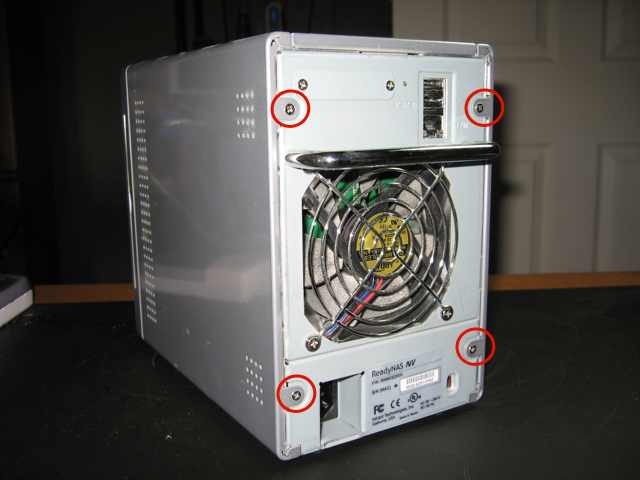
Step 2. Starting at the rear of the device remove the four side cover retaining screws (see image below). Once these screws are removed you can gently slide back and remove the two side covers of the device.
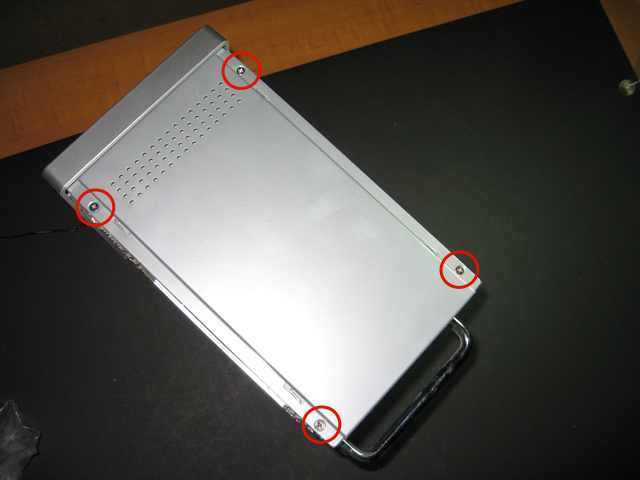
Step 3. Removing the side panels will reveal the four screws that hold the top panel in place (see image below). Remove these screws and gently slide the top panel back and lift it off.
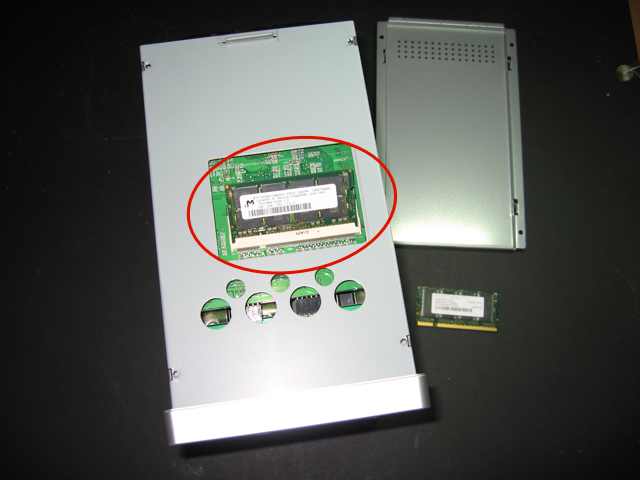
Step 4. Removing the top panel will reveal the single memory slot. This memory lifts and pulls out the same as most other SODIMMs. Carefully replace the default module with the larger module and reverse the the steps above to reassemble the device.
It’s a simple process and once completed I noticed an improvement in the web interface response. I can only think that the data transfer times will improve as well.
Technorati Tags:
infrant, readynas, memory upgrade, how to
Technorati Tags: how to, infrant, memory upgrade, readynas
Did the ReadyNAS memory upgrade make any difference in performance?
Hi Brett:
Subjectively it did seem to make a slight difference when under heavy load or if performing multiple tasks (back-up and data transfer, etc.)
The ReadyNAS is a Linux computer so as with any computer you’d expect a gain in processing and job OS execution with additional memory.
However, as with any computer you don’t get much I/O performance improvement with adding memory.
I found a small increase (6% to 26%) in Read/Write speed with PC-router-ReadyNAS NV+ by upgrading to Crucial 1Gb memory, as documented on a little wiki that I wrote: