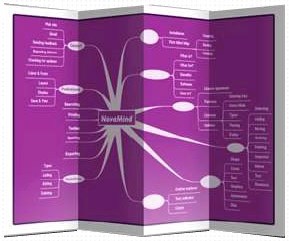
 NovaMind is a brainstorming/mind-mapping tool which can be used for conducting and recording brainstorming sessions. The output is a presentation ready linked diagram ready to be used for follow-up meetings and can be printed or displayed in a number of different ways.
NovaMind advertised uses include learning, over-viewing, concentrating, memorizing, organizing, presenting, communicating, planning, meetings, training, thinking, negotiation, Brain Blooming.
I personally have used NovaMind for only a few of these uses but have found it capable for any situation when you need some method or presenting and organizing related thoughts and ideas in a pleasing graphical depiction.
For Mind Mapping, when you start a new NovaMind document you select a topic, problem, or subject to be Mind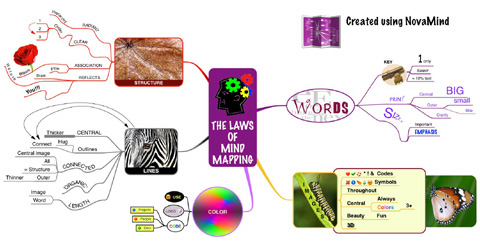 Mapped. You type this main topic into the central title. You then begin adding branches that radiate from this topic which could consist of main categories or headings under your selected topic. You can creatively use different branch shapes, attached graphics, and colors to help attract attention and perhaps aid memory and creativity. Child branches can then be added to support or better define these main categories or headings. You would keep adding branches and sub-branches until you captured all your idea. You can then edit. re-organize, and enhance this diagram as a second stage of thinking.
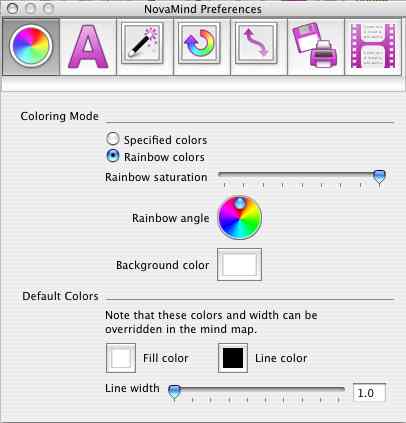 NovaMind can be customized to individual taste by setting the preferences. Preferences include the defaults for: overall color modes; fonts for the different levels and branches; layout, canvas, graphics, and spacing; branch ordering and outline numbering; lines and colors; opening, saving and printing parameters; and screen writer parameters if you have purchased the screen writer option.
NovaMind has excellent importing and exporting capabilities.
Importing file types and applications include: plain text, OPML, XML (Mind Manager), and the excellent OmniOutline.
Exporting file types and applications include: plain text, rich text, rich text scripts (screenwriter), FCF Scripts (screenwriter), OPML, JPG, PDF, TIFF, PNG, XML (Mind Manager), HTML, Java HTML presentation, PowerPoint, and Keynote.
System requirements are Mac Operating System 10.3.9 or later (10.4+ recommended) and at least 30MB free space for program file (more if additional downloads).
I have found NovaMind to be a valuable addition to my software library. ItÄôs a easy, visual, and fun way to organize my thoughts quickly. It fosters creativity. In can also be used to help with problem solving by graphically defining the problem and presenting ALL the possibilities. The excellent import and export capabilities also make it easy to share you Mind Maps. There is also a screenwriting version available.
Highly Recommended –
Thanks for the review. I’ve been looking for something that would handle the mindmapping process without breaking the bank.
I’ll have to take a look at NovaMind.